pkzip

PKZIP® for z/OS®

Mainframe Compression Software

Developed specifically for the mainframe, PKZIP for z/OS reduces bandwidth consumption and file size by as much as 95 percent, minimizing the processing time to meet constrained system availability windows.

Built on the familiar and reliable .ZIP standard, SecureZIP is the only data-centric security product that allows you to encrypt information on one computing platform and transfer it to any other computing platform in your environment. SecureZIP, the next generation of PKZIP, delivers easy-to-deploy data protection and compression for your mainframe environment. Click here to get the compression capabilities you're looking for with added security.

Enterprise Edition

Support for hardware accelerated compression:  Improve workload throughput by using less CPU overhead to perform compression
 
Self-extracting ZIP archives: Create self-extracting ZIP archives that others can open on Windows desktops without installing software
 
Enhanced tape processing: Includes enhanced tape processing that significantly reduces the time needed to write files to, and extract files from, tape media
 
Works across all major enterprise computing platforms: Delivers cross-platform compatibility (Windows® desktop, UNIX®/Linux® and Windows servers, IBM i, and IBM zSeries)
 
Reduce file size up to 95% : ZIP compression reduces file size up to 95%, saving time and valuable resources
 
Automatic EBCDIC/ASCII conversions
 
zIIP support new: Offload processing to IBM z Integrated Information Processors (zIIP) to free up general computing capacity and lower overall total cost of computing for select workloads
 
Defers expensive DASD upgrades
 
Delivers unmatched flexibility with 100 percent configurable installation
 
UNIX file system support : Write files directly to, and read files directly from, Windows/UNIX/Linux file systems
 
Request Information

Standard Edition

Works across all major enterprise computing platforms: Delivers cross-platform compatibility (Windows® desktop, UNIX®/Linux® and Windows servers, IBM i, and IBM zSeries)
 
Reduce file size up to 95%: ZIP compression reduces file size up to 95%, saving time and valuable resources
 
Automatic EBCDIC/ASCII conversions
 
Defers expensive DASD upgrades
 
Delivers unmatched flexibility with 100 percent configurable installation
 
UNIX file system support: Write files directly to, and read files directly from, Windows/UNIX/Linux file systems
 
zIIP support  new : Offload processing to IBM z Integrated Information Processors (zIIP) to free up general computing capacity and lower overall total cost of computing for select workloads
 
Evaluate Request Information

SecureZIP Comparison

PKZIP vs. SecureZIP PKZIP SecureZIP
  Standard Enterprise Standard Enterprise
Data Compression x x x x
Cross-platform Data Exchange x x x x
Decrypt with passphrase   x x x
Enhanced Tape Processing   x x x
Unix File System Support x x x x
Application Integration       x
Strong encryption with passphrase     x x
IBM ICSF Integration     x x
Encrypt/decrypt data with digital certificates and OpenPGP Keys       x
Directory Integration       x

Why just zip when you can zip & encrypt with SecureZIP? Click here to learn more.

PKZIP® for DOS

DOS Compression Software

PKZIP has been providing industry-leading ZIP compression for DOS systems for nearly 25 years. PKWARE is committed to file interoperabilityfiles saved using the original PKZIP products can still be opened by any current PKWARE products.

Reduces hard disk, floppy disk, and CD storage consumption

Provides script PKZIP, PKUNZIP®, and PKSFX functions: Provides script PKZIP, PKUNZIP®, and PKSFX functions with command-line syntax or with batch files on your older desktop PC

Long file name support: Supports Long File Names (LFN) (Windows® 95 only)

Storage for up to 16,000 files: Backs up your entire hard disk with PKZIP for DOS, producing a ZIP archive with storage for up to 16,000 files

Large ZIP archives Offers large ZIP archives across multiple floppy diskettes without having to format disks ahead of time

Note: PKZIP for DOS cannot operate on 64-bit versions of Windows, and no longer comes with technical support. If you require either of these items you may be interested in our Command Line or Server products.
 
Buy Now

For DOS 2.0 and greater, Windows 3.1x, or Windows 95/98, Windows Me*
 

4 MB RAM
 

1.2 MB free disk space
 

Not compatible with 64-bit operating systems
 

Technical Support no longer available
 

Request Information

PKZIP® Server

Server Compression Software

Servers provide the basis for sharing and moving information throughout the enterprise, as well as with external business partners. PKZIP Server provides data compression and file management to reduce file size, save valuable storage space, and reduce transmission times on UNIX®, Linux®, and Windows® servers.

Built on the familiar and reliable .ZIP standard, SecureZIP is the only data-centric security product that allows you to encrypt information on one computing platform and transfer it to any other computing platform in your environment. Click here to get the compression capabilities you’re looking for with added security.

PKZIP Server for Windows is available in Enterprise Edition only. All the enterprise features listed here are included with the product.

  • Create self-extracting ZIP archives: Create self-extracting ZIP archives that others can open on Windows desktops without installing additional software.
  • Integrates with FTP & SMTP: Provides automated delivery of files (distributes files automatically from servers to desktops)
  •  Compress files to save bandwidth & storage space: Compresses files up to 95%, conserving bandwidth and storage space, including on backup tapes
  • Improve processing efficiencies: Stream data directly to and/or from applications without staging it to disk for more efficient and secure data transfer
  • Strong passphrase-based file protection: On Windows support for both AES and 3DES strong encryption protects valuable information. Files encrypted with PKZIP may be decrypted and extracted on all major enterprise computing platforms
  • Operates across all major enterprise computing platforms: Delivers cross-platform compatibility across desktop, server, midrange, and mainframe environments
  • Error reporting for attended & unattended operations: Reports errors either to the standard Windows Event Log or through integration of SNMP (Simple Network Management Protocol) with leading data center management applications

Application Integration

With Application Integration, data can be streamed directly in and out of applications. Without Application Integration, the ZIP file would be extracted and written to disk as a data file before it can be read by an application. Using Application Integration, this step is eliminated, improving operational efficiency by reducing the number of steps needed to process data.

Application Integration

PKZIP® for IBM i®

iSeries File Compression Software

PKZIP for iSeries file compression software has managed midrange system data for nearly 25 years, allowing organizations to increase operational efficiencies and conserve valuable resources.

Built on the familiar and reliable .ZIP standard, SecureZIP is the only data-centric security product that allows you to encrypt information on one computing platform and transfer it to any other computing platform in your environment. Click here to get the compression capabilities you're looking for with added security.

Enterprise Edition

Self-extracting ZIP archives: Create self-extracting ZIP archives that others can open on Windows desktops without installing software
 
Enhanced tape processing: Includes enhanced tape processing that significantly reduces the time needed to write files to, and extract files from, tape media
 
Support for files 4 gigabytes and larger
 
Works across all major enterprise computing platforms: Delivers cross-platform compatibility (Windows® desktop, UNIX®/Linux® and Windows servers, IBM i, and IBM zSeries)
 
Reduce file size up to 95%: ZIP compression reduces file size up to 95%, saving time and valuable resources
 
Automatic EBCDIC/ASCII conversions
 
Defers expensive DASD upgrades
 
Delivers unmatched flexibility with 100 percent configurable installation
 
Request Information

Standard Edition

Works across all major enterprise computing platforms: Delivers cross-platform compatibility (Windows® desktop, UNIX®/Linux® and Windows servers, IBM i, and IBM zSeries)
 
Reduce file size up to 95%: ZIP compression reduces file size up to 95%, saving time and valuable resources
 
Automatic EBCDIC/ASCII conversions
 
Defers expensive DASD upgrades
 
Delivers unmatched flexibility with 100 percent configurable installation
 
Evaluate Request Information

SecureZIP Comparison

PKZIP vs. SecureZIP PKZIP SecureZIP
  Standard Enterprise Standard Enterprise
Data Compression x x x x
Cross-platform Data Exchange x x x x
Passphrase Encryption x x x x
Directory Integration       x
Advanced Encryption       x
1Step2Tape   x x x

Why just zip when you can zip and encrypt using SecureZIP? Click here.

PKZIP for Windows Desktop

File Compression Software

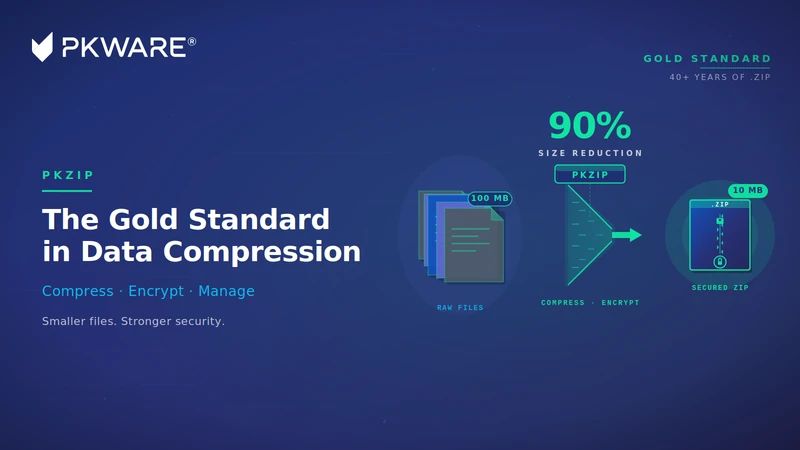
PKZIP continues to be the gold standard in data compression and file management, evolving as your needs have changed. PKZIP compresses and extracts files to greatly reduce required storage space and transmission times. And, by using the .ZIP standard, the most widely used file standard in the world, you can easily exchange data across all major computing platforms more efficiently and effectively.

Built on the familiar and reliable .ZIP standard, SecureZIP is the only data-centric security product that allows you to encrypt information on one computing platform and transfer it to any other computing platform in your environment. Learn more about SecureZIP

  • Compress files to save storage space: Compress files up to 95%, saving valuable storage space and making file transfer easier
  • Compress & encrypt files directly from Word, Excel, or PowerPoint: When using Microsoft Office, simply select “Save Copy as ZIP File” or "Save Copy as Secure ZIP File" to compress or encrypt directly from Word, Excel, or PowerPoint
  • Strong passphrase-based file protection Support of AES or 3DES strong encryption protects valuable information. Files encrypted with PKZIP may be decrypted and extracted on all major enterprise computing platforms
  • Send secure emails & attachments: Integration with Microsoft Outlook allows any email and/or attachment to be encrypted, automatically if desired. Encrypted emails can be forwarded without the need to download and resave files
  • Operates across all major enterprise computing platforms: Delivers cross-platform compatibility across desktop, server, midrange, and mainframe environments.
  • Large file compression & very large archive support: PKZIP can compress files that are over 9 exabytes in size and allow users to combine up to two billion files into a single ZIP archive
  • Encrypt file names: Names of files in an encrypted PKZIP archive cannot be read until the archive is decrypted
  • Lossless compression: PKZIP uses “lossless” compression so no original data is lost when a file is zipped
  • Compresses files in multiple formats: Compress files in several archive formats, including ZIP, TAR, BZ2, GZIP, UUEncode, XXEncode, Jar, OpenPGP, TAR BZIP2, and TAR GZIP
  • Decompresses files in multiple formats: Open (decompress) ZIP files, as well as TAR, JAR, BZ2, RAR, GZIP, CAB, LZH, LZMA, PPMd, UUEncode, XXEncode, and OpenPGP
  • Large file compression & very large archive support PKZIP can compress files that are over 9 exabytes in size and allow users to combine up to two billion files into a single ZIP archive
  • Command-line add-on for automating recurring tasks: PKZIP provides a command-line interface allowing users to create scripts for automating unattended script and batch processing
  • File shredding: PKZIP can be configured to overwrite deleted files, up to seven times, in accordance with NSA specifications to ensure deleted information cannot later be recovered
  • Ensures consistent compression & passphrase security practices: Using Policy Manager via a Microsoft Management Console (MMC) snap-in, administrators can establish compression and encryption settings according to organizational policies and best practices

Easy-to-use Interface

Simply drag-and-drop files into the PKZIP interface to compress files.

Subcategories