1.800.219.7290 / Careers / About Us / Contact Us / Partner Login / Shop Online
PKZIP for Server
PKZIP Standard Enterprise
  • Application Integration
    • Stream data directly to/from applications without staging data to disk.
check check
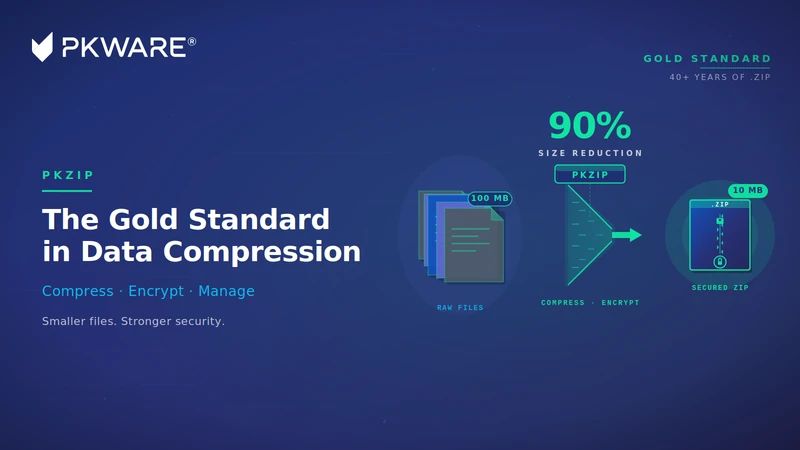
  • ZIP archives that reduce file size by as much as 95%
    • Get bottom-line cost reductions through conservation of bandwidth, storage space, and backup tapes.
check check
  • Cross-platform data portability
    • ZIP archives are portable data containers that can be read and decompressed on virtually all major enterprise operating systems. PKWARE® is the only single-source vendor of ZIP compression products across the major enterprise operating systems, guaranteeing interoperability.
check check
  • ZIP compression from the creator of the .ZIP file format
    • PKWARE, the original developer of the ZIP compression format, has made ZIP specifications freely available to the public as a standard for compressed data storage. This has made .ZIP one of the most widely used file formats in the world.
check check
  • Large file size support
    • PKZIP can compress files up to 9 exabytes in size.
check check
  • Very large archive support
    • Over 2 billion files can be included in a ZIP archive.
check check
  • Error reporting for both attended and unattended operations
    • Windows: PKZIP reports errors either to the standard Windows® Event Log, or through SNMP (Simplified Network Message Protocol) integration with leading data center management applications.

      UNIX: PKZIP reports errors either to the standard Syslog, or through SNMP (Simplified Network Message Protocol) integration with leading data center management applications.
check check
  • Strong passphrase-based AES and 3DES data file protection (Windows only)
    • PKZIP for Server supports AES or 3DES encryption using passphrases to protect valuable information. Files encrypted with PKZIP may be decrypted and extracted on major enterprise computing platforms using PKZIP, SecureZIP®, or the free ZIP Reader for Windows.
check check
  • Decryption of PKI encrypted ZIP and OpenPGP archives
    • PKZIP users can decrypt and extract files that are public-key or OpenPGP encrypted by SecureZIP products.
no check
  • Self-extracting files for end-users and other platforms
    • ZIP archives can be formatted as self-extracting files for Windows end-users or for UNIX®/Linux® operating systems, so that compressed data can be easily unzipped in one easy step. (Licensed for internal use only)
check check
  • FTP integration
    • File transfer can be added to file compression workflows simply by adding a switch to the command string, saving processing time and development effort for file backup, archival, and transfer.
check check
Note: SecureZIP (PKZIP) Server for Windows is available in Enterprise Edition only. All the enterprise features listed here are included with the product.
 
select slide
  • 1
  • 2
My Industry » Healthcare
Security
Evaluate Now

Overview

PKZIP® Server

Server Compression Software

Servers provide the basis for sharing and moving information throughout the enterprise, as well as with external business partners. PKZIP Server provides data compression and file management to reduce file size, save valuable storage space, and reduce transmission times on UNIX®, Linux®, and Windows® servers.

Built on the familiar and reliable .ZIP standard, SecureZIP is the only data-centric security product that allows you to encrypt information on one computing platform and transfer it to any other computing platform in your environment. Click here to get the compression capabilities you’re looking for with added security.

  • Create Self-Extracting ZIP Archives Enterprise Only Create self-extracting ZIP archives that others can open on Windows desktops without installing additional software.
  • Integrates with FTP & SMTP Enterprise Only Provides automated delivery of files (distributes files automatically from servers to desktops)
  • Note: PKZIP Server for Windows is available in Enterprise Edition only. All the enterprise features listed here are included with the product.
  • Compress Files to Save Bandwidth & Storage Space Compresses files up to 98%, conserving bandwidth and storage space, including on backup tapes.
  • Improve Processing Efficiencies Stream data directly to and/or from applications without staging it to disk for more efficient and secure data transfer.
  • Strong Passphrase-based File Protection On Windows support for both AES and 3DES strong encryption protects valuable information. Files encrypted with PKZIP may be decrypted and extracted on all major enterprise computing platforms.
  • Operates Across All Major Enterprise Computing Platforms Delivers cross-platform compatibility across desktop, server, midrange, and mainframe environments.
  • Error Reporting for Attended & Unattended Operations Reports errors either to the standard Windows Event Log or through integration of SNMP (Simple Network Management Protocol) with leading data center management applications.

How it Works: Application Integration

Application Integration

Application IntegrationWith Application Integration, data can be streamed directly in and out of applications. Without Application Integration, the zip file would be extracted and written to disk as a data file before it can be read by an application. Using Application Integration, this step is eliminated, improving operational efficiency by reducing the number of steps needed to process data.